Thursday, November 30, 2006

Multiheaded Madness (was Ze Cool Factor)

How ultimately cool is this?


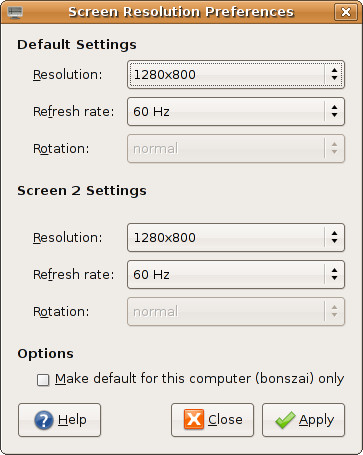
Finally got a dual-head/multi-head configuration working, with only the nvidia driver, unfortunately. But it works!

The magic includes (despite X telling me that there are two cards) using the same PCI BusID, and setting the Screen parameters in the Device section. Bit of struggle, but finally resolved! nvidia do have good docs for their drivers.

Theoretically, bonszai supports 3 displays, with the third a TV-out (via S-video). Will try that later.

Now, me is pro-programmer, with two displays. If the other display becomes an LCD, it'll be ultimate goodness!

Thursday, November 16, 2006

Install Report, Compaq Presario V3133AU, V3000 Series [DRAFT]

(Update Dec 6: This is obsolete document only kept for historical purposes. This is now the definitive version]

(Update Nov 22: I've changed a lot of the info below. For now, bear with me and the strike throughs, as I get a new article written)
Mostly works.

Here are the specs. Note that I'm using Ubuntu Dapper Drake 32-bit for now. I will move to Debian ASAP.

UPD: Moved to Ubuntu Edgy Eft 6.10 64-bit. Waiting for Debian Etch AMD64.

UPD: I've tried getting an external monitor to work, with no success.


What works:
  1. All of the keyboard keys including special "multimedia" keys. Some issues with status updates (blue leds don't turn orange :) )
  2. Monitor comfortably displays "1280x800" using the nv opensource driver. But it wasn't autodetected, and I had to write out frequencies to the xorg.conf file (though they were automatically detected).
  3. HDD, RAM, CPU everything work fine, though I get messages of "BIOS BUG detected" during bootups.
  4. Bluetooth.
  5. UPD: Wireless works with ndiswrapper and 64-bit Broadcom drivers. bcm43xx does not work.

What doesn't (yet) work:
  1. Headphones (ouch!), even with the latest and greatest ALSA, though they're working on it. Headphones now work, with stock alsa-1.0.13, but snd-hda-intel requires the disable_msi=1 parameter eliminate an irritating looping and to have headphone support. As a side effect, I don't seem to need noapic anymore. Sound is terrific on these speakers though.
  2. Broadcom Wireless LAN has "issues", ad-hoc networking wasn't possible, I'm waiting for my wireless account to test out "managed" networking. I'm using the bcm43xx driver for which my card is "unstable". ndiswrapper refuses to take a 32-bit driver, and picks the 64-bit one and then complains. Don't ask why.
  3. Wired ethernet worked perfectly, and then decided it wouldn't work without noapic. This seems to have thrown out the CPU frequency daemon out of gear.
  4. Suspend and hibernate have issues.

What wasn't tested:

The Card reader (update: I did try this with one card, but nothing happened), the expansion slot, the modem, external monitor and S-Video.

And yes, Compaq expects you to have Windows and IE to test for updates. Ouch!

It's not smooth sailing yet, but there are a lot less issues than I'd been brought up to believe.

Ask for more details, if you need any.

Monday, November 13, 2006

My Computers

The first one was named "MeanMachine". Don't ask why. This was my first ever computer, and was bought on September 24, 1999. Here are it's specs:
  • Celeron 266Mhz Processor, no L2 cache, Slot 1
  • 64MB RAM
  • 4GB Seagate HDD
  • 14" Samsung 4BNi monitor
  • 104-keys Mercury Keyboard
  • "Yamada" Speakers
  • Creative 32X IR CD-ROM Drive
  • Zida/Tomato Motherboard
  • Windows 95
It lasted for about 2 years, when a power surge destroyed the motherboard and power supply. The replacement "MeanMachine", gifted by a friend, looked like this:
  • PIII 550Mhz
  • 160 MB SDRAM
  • 4GB HDD
  • Windows 2000 and Red Hat Linux 9
  • D-Link 56Kbps Modem
However, with the coming of XP, and with MS deciding to kill off VB, I made the move to Linux also buying a 40GB HDD on the way. Thus "MeanMachine" became "meanlix", and now looks like:
  • PIII 550Mhz
  • 160MB SDRAM
  • 40GB Seagate 5400 RPM
  • 17" Samsung 793S
  • 104-keys Mercury Keyboard
  • "Yamada" Speakers
  • Sony DVD-ROM
  • Logitech Optical Mouse
  • Ubuntu Dapper Drake
  • USB 1.0
  • D-Link 502-T Router
  • D-Link RTL8139 chipset based NIC.
Along the way, I've replaced the power supply, a couple of mice, the hard disk, the CD-ROM drive, the monitor. I've added the network card and the router, so only the keyboard and speakers have survived from MeanMachine.

Meanlix chugs along fine, though it's no longer adequate for most tasks that family uses it for, though Dapper Drake is (looking) faster than Hoary Hedgehog on this machine. It's time for an upgrade, and perhaps, come December, and with some money, I'll upgrade this machine to a newer one. Any suggestions on what to go for? I'm looking for processor (probably a Core 2 Duo/AMD 64 X2), RAM (1GB/2GB), Motherboard, and perhaps a 80G HDD. Maybe the speakers too. And the keyboard. And yes, the cabinet :) I won't be using this machine much, it'll be a family machine. And yes, it'll run Linux.

Friday, November 10, 2006

Update on the Laptop search

Couldn't buy a laptop while I was in Mumbai, but did get very good leads on some very nice laptops.

BTW, here's what disqualifies a laptop: a Core Duo processor (not 64-bit), 1024x768 maximum resolution, 512 MB RAM or less, less than 60GB HDD. I'll definitely consider Core 2 Duo processors for notebooks, but I can't seem to find any. Any leads?

My sweet spot looks to be around 40K--70K.

So here's what I like:

Compaq V6102AU: This is the coolest model so far, with everything going for it. The only thing that bugs me is the TL-50 (I'd like a TL-52 or better processor -- double the cache). Another possible thing to dislike is the shared video memory, I'm really ignorant of performance problems here. I'll also have to pay the MS Tax, unless I can convince HP to ship it with FreeDOS. But this is one cool laptop. (58K with 3year warranty -- 2 of those years without battery warranty. A new battery costs around 4K)

HP nx6235 Series: This is what been recommended to me by most friends, but the thing that bugs me the most about this is the 1024x768 max. screen resolution. Add the fact that it ships with Windows XP Professional which has definitely pushed the price to greater than 50K, and I'm very very reluctant to buy this.

Compaq V3029AU: This is another cool model, which I didn't list last time as I thought it did not have wireless ethernet. Turns out it has, and so far, it is the cheapest of the lot. It also ships directly with FreeDOS so that's one less headache to worry about. Only difference with the V6102AU as I can see is the 512MB ram, 14.1" display and the 80GB hard disk. It's also half-a-kilo lighter.

Compaq V3133AU: Perfect match at last? AMD TL-52 with everything I'm asking for, including FreeDOS only! This is a new notebook, according to HP who've finally replied when I e-mailed during them office hours (!). Retails for 43K, but I'll have to add RAM (512 default), and suffer a 20GB HDD loss. It's also a 14.1" screen. I'm awaiting more details, as I can't seem to locate this on their website.

On another note, the August 2006 issue of PC Quest had a notebook shootout, can anyone send me the magazine, scans, or anything of interest?

Update: Added the Compaq V3029AU, anybody know of any Core 2 Duo model laptops?
Update: Corrected 3102 to 3029. Sorry.
(yep, this page is gonna see lot of updates)
Update: V3133AU, found what I'm looking for?

Tuesday, November 07, 2006

Installed SuSE 10.1

I need a GLIBC_2.4 distribution, and SuSE's the only one tolerated here. Had a Debian Sarge DVD but no DVD drives :(

And was reminded why I moved away from RPM-based distributions.

TASK: Install Mplayer.

Solution: Look for MPlayer RPMs for SuSE 10.1 on the i686 architecture. Use services like rpmfind.net and
and realise that RPMs for your distribution have not yet been indexed there. Ho-okay, Google's always there. Find references to a website. Go crawling around the net trying to verify credentials of that site.

Then download RPM! And install!

Installation failed. Missing dependencies. Make "intelligent" guesses as to what RPMs will contain the files that MPlayer depends on. Download each dependency RPM individually, and hope you're right about them providing the file you're looking for.

Try installation. See it fail again due to dependencies by the new RPMs you downloaded. Go back to site and download again.

Install again. Whoops! Forgot to download one RPM. Go back, download and try again.

Failed again. Turns out one of the dependencies provides library.so.54, but the MPlayer RPM requires library.so.48.

Sigh.

Okay. Now I'm mad. Force install of MPlayer. Run it, and it fails, of course.

Go to /usr/lib, and copy library.so.54 to library.so.48. Feel totally unclean.

MPlayer works! Though I doubt H.264 encoded files will play.

It would have been so much more easier to compile from source.

I'm so glad Debian releases next month.

Tuesday, October 24, 2006

Note to Self

Investigate iPod Suite and Satellite devices.

MeToo: How To Get an iPod Nano (2nd Gen) working with Ubuntu Dapper

Here's a quick round-up of things I did to get the iPod Nano 2nd Generation working with Ubuntu Dapper. Note that all other iPods work out of the box with Ubuntu Dapper, but this one seems to have firmware changes that cause major problems with auto-detection and auto-mounting. Coupled with the fact that this is barely a month old (it was released on 12 September), it means some software doesn't even know it exists! To the best of my knowledge, HAL detects the iPod correctly, but the GNOME Volume Manager refuses to take any action. Debug messages show "No sensible filesystem found". Given that dd and file both show a valid boot sector and filesystem, and mount has no problems mounting the partitions (there are two -- for the firmware and for the data), I wonder what exactly is the problem. Since I had little time to investigate this is detail, here's what I did to get it mounted and unmounted:
  1. Mounting: Use the pmount command. In case you're not aware, pmount is what allows non-privileged users to mount and unmount hardware given that certain conditions are met (must not be in /etc/fstab, must be removable, etc.). An invocation of this command looks like:

    pmount /dev/sda2 ipod

    This will mount the iPod at /media/ipod.

  2. Unmounting: The pumount command unmounts the iPod, and is similar to "Eject" in iTunes. However, it does not send a message to the iPod that it's been disconnected, and as a result the iPod continues to show a "Do not Disconnect" message even when it is safe to remove it. The correct command therefore is the eject command, which (surprise) ejects SCSI-like devices too. The command is:

    eject -s ipod

    Note that the -s is not necessary, but is given for completeness. The pumount command, for reference only, is pumount ipod.
Once the iPod is mounted, there are a number of software available for GNU/Linux that allow you to fully use the iPod's various non-song features. For example, you can store contacts (just save/sync vCards to a folder on the iPod), store notes, photographs (see below), and a lot more. Here I'll just talk about songs and photographs.
  1. GtkPod: GtkPod is the de facto application for managing songs with the iPod. In its latest incarnation (0.99.8, which I had to compile) it supports the new iPod Nano completely. As a bonus, it also supports the various iTunes-supporting mobile phones like those from the Motorola stable.

    In recent incarnations, GtkPod has split into two parts -- the UI application, and the library called libgpod. Most of the software that support the iPod tend to use libgpod internally. As of v0.4, libgpod supports all the song-related features of the iPod, but does not support Photos. The good news is that it does support cover art, which it did not in the previous versions.

    GtkPod should've ended my search, but its UI is a bit clunky, it supports only the file formats supported natively by the iPod (MP3, AAC, WAV), does not automatically search for cover art, does not show song lyrics, does not connect to Wikipedia to show information about the artist, etc. As you can see, these features are really extras, and GtkPod does the job very well. My brother uses it with his Motorola phone without any complaints.
  2. Amarok: This is my first serious introduction to Amarok, the player I'd heard is the do-all, end-all music player. I must say, I concur. Amarok is KDE's default player, and puts all competition to shame. It's also built for the power user, so that means no more running mounting and unmounting commands individually: there's a preference that automatically allows you to run commands before and after using the iPod. And then you simply click buttons! It also talks to HAL (I think) and automatically mounts the iPod if you've connected it.

    It scanned the music library, allowed me to edit and change tags to my heart's content, downloaded cover art automatically (including those for some Hindi films!), lyrics (including for Hindi songs!), Wikipedia connectivity and what not, exported it to my folder (with plugins), and transcoded files when and as necessary (with plugins). This was my application of choice to use with the iPod. It's complete.

    Unfortunately, Amarok had one serious lacking --- it failed to sync cover art. This is understandable because it probably uses an older version of libgpod, but this spurred me to look at other players (or "music management" applications) as well. I did try to dynamically use libgpod 0.4, but that broke a lot of other things in Amarok, so I let it be. I would've recompiled, but I didn't. For now. It's also a lot heavier on the memory, but that's a trait it shares with all the other players with similar abilities that I looked at.

    I used Amarok 1.4.3, the latest version, which isn't in the Ubuntu Dapper default distribution. However, Ubuntu Backports has a nice backported version. You'll also need the CopyCover (to export cover art) and transKode plugins, along with support for M4A (faac) installed.
  3. Banshee: To be honest, I looked at Banshee before I turned to Amarok. Banshee is a GNOME-native application written using Mono. In earlier times, the Mono bit would've turned me off, but I don't care anymore. Unfortunately, while Banshee looks like an exceedingly capable application, I wasn't able to use it with the iPod. Firstly, Ubuntu ships with a older version of Banshee. There are no backports available. Secondly, to get a newer version requires a dist-upgrade with an archive maintained by the Banshee developers. Needless to say, there were complications, which left Banshee 0.11.1 un-installable, un-compilable, and my patience with it ran out. I had limited time, and perhaps I'll come back to this player in some time, but for now, Banshee wasn't what I would use.

    Interestingly, Banshee does not use libgpod. It uses its own internal libraries, which is why I tried rather hard to get it working. Maybe some other time.
  4. Listen: When traversing various lists and forums looking for solutions to my problems, I stumbled upon a reference to the Listen player. It, too, is a native GNOME application and is written in Python. It uses python-gpod (i.e., libgpod) internally. Though its stable (which I used throughout) version advertises that it works with libgpod >= 0.3.2, I was a bit skeptical after Amarok's experiences with the new libgpod. But I decided I'd give it a try.

    Listen ships with Ubuntu Edgy, so I had to use the developer's backports for Ubuntu. They installed perfectly, but I quickly ran into a major problem. Even with the iPod mounted manually, Listen would not show it in its UI. Like most GNOME applications these days, there is absolutely no manual override.

    It turned out that Listen directly talks to HAL and the GNOME Volume Manager. In ideal circumstances, this is very good, since everything would Just Work. But of course, Murphy's law demands that HAL/G-V-M be broken. Sigh.

    Thankfully, the Listen code is well-written, and in Python, so I was able to code a manual override for detection (and since stable Listen is pre-iPod Nano 2nd Gen, that detection had to be coded too). Now came the acid test: would it work with libgpod 0.4? Of course not. There have been some changes to the libgpod API, and that caused it to fail. A simple change to the relevant line of code and it worked!

    Listen is a player that is still evolving, and while it's leagues away from Amarok's functionality, it did everything I wanted it to. It managed my music library, supported minimal tag editing, could download lyrics, had Wikipedia functionality and automatic cover art support, and also transcoded songs when necessary. And best of all, its sync cover art function works beautifully thanks to libgpod 0.4!

    Listen is not perfect, however, in that it often freezes up when doing lengthy operations, which multi-threaded multi-tasking Amarok has no problems with. Also, while Listen's transcoding works out of the box (it uses GStreamer and outputs MP3 instead of M4A), it's slow. Very very slow. I don't have a clue of why this is so, but an hour for transcoding a 8-minute Ogg/Vorbis song is too much. Moreover, it gives you no features like transKode's profiles that let you control quality (and therefore encoding speed). It does the right thing by attempting to maintain the same quality as the Ogg/Vorbis file, but perhaps this is simplicity taken to its extremes. Whatever.

    With Listen wrapped up in a script that automatically mounts and unmounts the iPod, said iPod's user is surprisingly happy with Listen's simple interface and uses it exclusively. Maybe the GNOME guys are onto something?
I did not look at YamiPod, Rhythmbox, Exaile, GNUpod or any of the other players out there due to lack of time. Do let me know if I missed something. Rhythmbox 0.9.6, in particular, seems to be very featureful.

Photographs on the iPod are of two types, the thumbnails for viewing on the iPod itself, and full-size photographs for transfer to other computers (via a copy from the Photos folder). GPixPod had no problems with storing thumbnails with very good support for albums and such, though I couldn't check out the full-size features (I wasn't aware of it, until I read the iPod manual). I compiled it from source.

How does all this compare with Apple's iTunes? Well, I also installed Apple's iTunes (on Windows, of course), and found a few things that you'll probably still need it for.
  • You still need Apple's iTunes to update your iPod's firmware (I'm sure the iPodLinux and Rockbox guys can do this too, but no application I looked at did this, understandably).
  • Importing photographs using iTunes is rather non-intuitive. You need to have everything organized on your hard disk, and then drop that folder onto a minimal "Sync Photograph Folders" UI. Or you need to have iPhoto installed. GPixPod has no such hang-ups, and works as you'd expect it to. GPixPod had a problem reading a photograph created from within iTunes, but I didn't worry too much about it, since the iPod itself has no problems with GPixPod.
  • Cover Art finds little mention in the manual, but my understanding is that you'd require access to the iTunes store to add cover art. Of course, there are freeware applications for doing this, but the fact that most Linux applications can do this directly is fantastic!
  • iTunes Song statistics and Smart playlists are probably best supported only with iTunes, but Amarok does support song statistics, and though it has Smart Playlists of its own, I don't know if they work for the iPod (though libgpod does support them).
There a lot of other iPod features that I've missed like Lyrics support and such, but I'll re-visit this article a few months down the line. Libgpod's new features seem very exciting. While Rockbox doesn't yet work with the new iPod Nanos, hopefully they'll be ready too by that time.

There are a lot of itches above, many of which I can competently scratch. Sadly I don't have access to the iPod Nano here so I'll just have to wait.

Thursday, October 12, 2006

Of Little Things that Matter Much

Often you encounter good programs that would be good as they are, but are much better due to very small features. You wouldn't notice these features unless you looked very hard, but their presence boosts the utility of the original progam greatly.

Take Emacs, my favorite text editor, for example. It has tons of these small refinements. Suppose you decide to replace "xyz" with "xen ya zen". During the search/replace if it encounters "XYZ", it will replace it with "XEN YA ZEN", and if "Xyz" then "Xen ya zen". Pretty nifty.

And then there is an "Artist Mode" in Emacs that allows users to draw ASCII art. When lines intersect each other, the code takes care to replace the intersection points with either X or +, as the case may be.

Gmail has this feature that tells you that the mail was sent, for example, "11 hours ago", that is more valuable and useful information than the DD-MM-YYYY HH:MM +OFFSET format followed elsewhere.

In Inkscape, an open source vector drawing program, that I occasionally use, copying and pasting a object has a feature I wonder why no other such program has (or if they have, why haven't I discovered it yet?). After you copy and paste, most programs will paste the object either:
  1. On top of the object you copied or,
  2. In some random location.
Inkscape will paste the object where your mouse cursor actually is. This is such a handy feature in drawing programs! Pressing Ctrl+V with the keyboard, while moving the mouse cursor around.

These features are not likely to be highlighted in advertising material for the program. Then why do programmers spend so much time coding these features? Agreed, some of these features are trivial to implement, but that's not always true for others (Emacs).

We had a lesson/text in school that probably explains this best. During the construction of a big and grand temple, a visitor finds one of the sculptors hard at work in one of the darkest corners, where no sunlight will ever illuminate the sculptor's work. "Why?" asks the visitor of the sculptor, "are you pouring so much work into something no one will ever see?"

"He will see," answers the sculptor, pointing to where the diety will be installed.

We computer programmers do not believe God uses our programs, but it shows how passionate both these types of artists are. They do not want beauty that is only skin deep, but one that survives even the most piercing glance. May their tribe live on!
Sunday, October 08, 2006

The NetFlix Prize

It's a very good time to be a machine learning researcher.

Sunday, September 24, 2006

Small is Beautiful

I've been always interested in small computers, so when I looked at this, I'm like: Way cool!

The GumStix is a way small, 20x80 mm, and can run Linux 2.6! comes with 64MB SDRAM too! What can you do with this small computer? Custom audio player? "Wifi-devicelet"?

Imagine ...

Sunday, September 17, 2006

Laptop Hunt

I'm looking for serious laptop/notebook to use as my primary computing device for the next 5 years or so. I just found this page that seems very very informative. But I'd like your comments too.

Here's what I have in mind:
  1. A dual-core 64-bit processor (preferably, the AMD X2 series). I'd definitely want one with the hardware virtualization features.
  2. About a GB of RAM
  3. 80--100 GB of HDD, though I must say, 60GB seems okay too.
  4. 15" screen, preferably SXGA+
  5. Wireless + Fixed-line networking
  6. Works with Linux.
I'm not that concerned about power now, though I'd be interested to know how much time you get on your laptops.

NFS Locking

It doesn't work. Atleast not for me. Maybe it does in a properly configured environment. But this certainly isn't one.

Software that lock files can suffer badly when the files they lock are on NFS. And with most home directories being NFS mounted, this means that sooner or later you're going to encounter such software.

My first practical experience with NFS locking issues was during a ill-fated talk on Arch/TLA to a (thankfully) small group of friends. Arch/TLA doesn't work on NFS. All our demo machines had NFS-mounted directories. End of talk. Well, not exactly, since we did manage to salvage some part of it.

Then, of course, came the SQLite database problem. Or was it the PHP PECL compilation problem? Whatever. And lately, I discovered that Skype,stores its configuration files and uses locks to manage it's databases. On NFS, it just refuses to start, or takes ages to begin. I've experimented with moving the files to /tmp and creating a soft-link, which does work --- Skype starts up. But an unrelated(?) problem causes it to crash when I try to connect. Using Google to find out more leads to pages which complain of ABI differences between Skype's binary and the system glibc, and given that Skype is closed-source, can't do much about it. As an aside, I'm not using Skype, was just trying to debug the problem. For VoIP, I recommend GTalk or its free implementation at http://tapioca-voip.sourceforge.net. Note that I do not use VoIP.

So how do you assure conflict-free access to your files across all local disks as well as NFS? There should be a general solution, but my guess is, it varies from application to application. For a good example of how a lock-free mail spool was implemented, see the Maildir format invented by DJB.

Wednesday, September 13, 2006

New Software: Webfiler

After deciding not to use static HTML pages for my website, in order to make my website appear more "active", I looked around for some content management system for a single user. Mostly the list boils down to blogging software. Now I don't want to use MySQL or Postgresql (preferring SQLite), so the list shrinks even more. Unfortunately as this post showed, SQLite sputtered too. So now I was reduced to using flat-files. So scratch all software.

Now I'm not a programmer for anything! With strong NIH syndrome to boot. So I decided to write my own. I've been mulling over it for some days, and the idea was that the system would basically handle documents which have tagged. No folders, etc. Just tags.

I had just finished writing the tag database management library, when I realized IkiWiki probably did everything I wanted it to do (and better!). Not wanting to abandon whatever I had already done (after all I'd sacrificed lunch :) ), I continued, and Webfiler 0.1 was born.

It's now working nicely enough to be running my website. I'll put up the sources sometime.

Monday, September 11, 2006

Free Advice

Learn a high-level, managed language. Any language that is not C. It could be Java, PHP, Python, or any of the .NET family. This is because C is not very suitable for prototypes, and you may end up fighting the language more than you end up writing your program. This is especially true if you're a neophyte at programming.

Sunday, September 10, 2006

SQLite databases on NFS mounts

I encountered this while installing Serendipity (a PHP based blogger) on PHP4 on a SuSE Linux system with apparently misconfigured NFS locking.

If your application accessing a SQLite database seems to hang forever, you might wish to check if said database is on NFS. SQlite uses locks, which don't seem to agree with some systems, causing it to think that the files are permanently locked. You can verify this by running sqlite dbname on the command line, you'll get the following output:


SQLite version 2.8.16
Enter ".help" for instructions
sqlite> .tables
Error: database is locked
sqlite>


It will work fine if the database is relocated to local storage. Or as the commentary on this ticket entry shows, by running and installing nfs-utils. I think that it is installed, and running (lockd processes showing up), but I can't find the rpc.statd mentioned in the ticket entry. So am slightly puzzled, what is going wrong? And where is rpc.statd?

Thursday, September 07, 2006

My First "Publication"

Was writing the publications section for my student website, and remembered this:

Article #1 (?)


Yes, yes, I know. Those were very different times. And a very different me.

And my publication section still contains "None". Sigh.

Friday, August 25, 2006

Gotcha!

It isn't everyday that your code exposes a bug in a C compiler, that too, one which has been around for 7.4 versions. I've been writing code that tests a computer's floating point routines for compliance with IEEE 754 with respect to NaNs, denormals and the REM operation. gcc-2.95 has been my friend on all the various archs that I've tested, except on the SGI workstations, where I'm using the vendor supplied MIPSPro v7.4 compiler.

Now consider:

number != number

What will this condition evaluate to? False always? Right? Hence the compiler simply replaces the above with False (or zero) at compile time.

Except, it gets it wrong when it does the same to float variables. You see, if the float contains a NaN, then the above test is true! NaNs do not compare equal.

Aha! Now where do I report this bug?

Some other "crazy" stuff (called constant foldings, or compile-time evaluations done by GCC):

n * 1.0 => removed, as n is not changed
n / 1.0, likewise
n * 2.0 => n + n

And all of this with optimizations disabled! Wow!

Thursday, August 24, 2006

It's Raining Unices!

In pursuit of the execution of an assignment, I met and was introduced to:

Solaris (UltraSPARC) [actually, have met this during undergrad]
HP-UX (PA-RISC)
Tru64 (Alpha)
AIX (PowerPC)
Irix (MIPS-based SGI)

All of them are old. Lack decent shells (GNU bash), some lack decent editors (Emacs), all lack good GUIs, good browsers (Netscape 4 is everywhere!), decent compilers (GCC where present is 2.95 and ye gods, even 2.8!) etc.

Fun. Me thinks.

Friday, August 18, 2006

Farewell!

So it was finally laid to rest. The 7-year old 14" monitor, the last-but-one-remnant of my first computer, is no more. May it rest in peace.

The Samsung 4Bni was a nice monitor to work with, if a bit troublesome. Within two years, it had two "crashes", which caused it to hiss in a wierd manner. Those were fixed, albeit leaving movies a bit darker, and the next 5 years were peaceful. Last December, a curious high-pitched whistle started emanating at 1024x768, dying down only when I switched to 800x600. Within a few weeks, the hisses were back.

I was reluctant to repair it, given that it had served so long, and so set out to buy a new one. Shortage of funds meant that I would have to continue working with it. Thankfully (?), RSI made me largely stop using the computer, which rendered the question of when to buy it redundant.

When I did get back to it, it seemed better, but would not start up. Eventually, I would boot blind, and it was only in the 800x600 mode that it would come on. By July-end, it had stopped doing that too. Given that I would be moving soon at that time, and then could work headlessly, the computer was operated without the monitor.

But given I'm not the only user of the computer, pressure kept mounting, until it finally resulted in this 17" Samsung 793S:

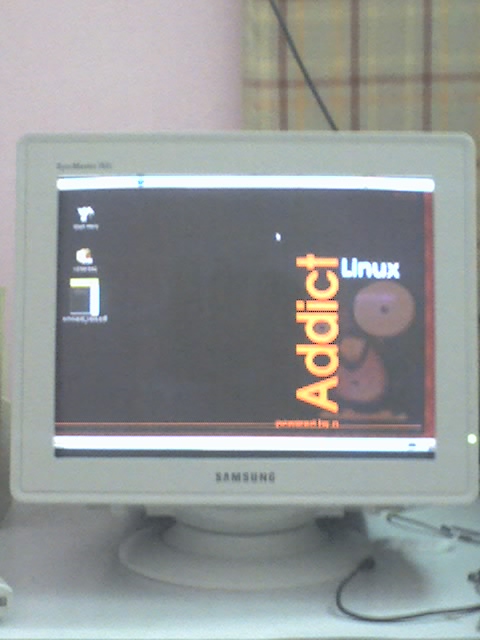
Given my experience with the 793DF (that I'm typing on, and which differs only in the dot pitch with the 793S), it looks to be a good monitor. Here's wishing it a long life.

BTW, the Linux Addict is not me.

Sunday, July 16, 2006

End of an Era

Today I disconnected the D-Link DFM-560E external analog modem that had been my only link to the online world for over 7 years. With my month-old ADSL connection never failing, and in fact, working even when the dial-up would have failed, during the recent phone outage, the modem was never needed. Rather than sit around gathering dust, I decided to pack it up in its box, so that I can return it to the person it actually belongs to!

Yes, the modem isn't mine! I borrowed it from a friend the day it arrived in May 1999, and it's been with me ever since. That friend moved onto an internal modem years later, and then to "broadband" always-on internet, and is now moving to DSL as I write. This modem will, therefore, be as much of use to him as to me now.

Before it arrived and took up its place on top of my chassis, I used to connect using a 14000bps modem, whose history, I must say I've misplaced in my memory. Clearly, this modem featuring 56K connectivity, supporting both the K56Flex and V.90 standards, was a huge improvement. It also meant that I could now consider downloading huge files, and eventually did end up doing so. The 6 CDs with a huge assortment of (for Windows, and therefore now useless to me) software are a testament to that. The biggest download? The newly released DirectX 7 SDK (with support for VB!) that at 128M (or so) took over a month for me to download! Nine cryptically labelled red leds: PWR, MR, DTR, HS, AA, OH, CD, TD, and RD kept me company on those nights and early morning jaunts into cyberspace for that next download, that next shot of information.

VSNL, now Tata Indicom, was the only ISP in those times, until the ISP sector was finally opened up. I remember using Sify too at one time. Then MTNL crashed the party with its post-paid dial-up Internet scheme. I've used only dial-up, refusing to replace the brown box on top of my cabinet with a unknown and unreliable cable modem service. It's been a long time.

Now green leds stare and blink at me from my D-Link DSL-502T router. And the download meter shows 25.6 KiB/s.