Wednesday, February 28, 2007

Copyright Myths and Misunderstandings

I first learnt about copyright the "hard" way. I was on the verge of releasing a program, and that entailed that I learn as much as possible on copyright and software licensing --- I'm one of those guys who actually reads the license agreements! As a pleasant side effect, I learnt about "copyleft", the GNU GPL and Free Software, which eventually led me to stop considering licenses for my software: my software is usually in the public domain (i.e. no copyright) or is GPLed (i.e. copylefted).

Here are some things you should know about copyright:
  1. Copyright registration is not required. It's very useful if you ever expect to go to court, but as a friend pointed out, just e-mailing the source to yourself at some public e-mail service, such as Gmail, would probably establish that you did it earlier. And you can keep your work secret too.
  2. Copyright is assigned automatically to you. There is absolutely no need to even say "Copyright (c) Year, Author". At least after 198x, I think.
  3. Copyright is available for all works, regardless of quality. It protects both your kindergarten drawings and Escher's complicated and beautiful works equally.
  4. Copyright covers only distribution. That should be evident from the name, but a lot of people put restrictions on use and ascribe them to "copyright". If you intend to distribute the work, for profit or otherwise, you need permission from the author. Note that if your use of the material falls under "fair-use", permission might not be required. However, fair-use is never defined explicitly, it's upto the courts to decide what exactly is fair-use.
  5. Copyright is limited. It expires. However, current copyright time limits are so generous that you may have to wait for a very long time for any part of current culture to fall into the public domain.
  6. The public domain, as a legal expression, means that there is no copyright asserted. A public domain work belongs to all, and everybody is free to do whatsoever he/she desires with it. Copyright and public-domain are mutually exclusive. You can put your works in the public domain by stating so, without having to wait for the expiry of your copyright.
Note that I'm not a lawyer, and the US Copyright Office's Copyright FAQ page has lot more information.

Wednesday, February 14, 2007

I'm Kewler than You Think (!)

Behold! My new SHE-F18P MP3 Music player!


This little baby brings me into that hallowed land of people who possess hardware digital audio players! Well, these days that's about almost everybody, and so nothing "kewl" about it, but who goes for technicalities anyway?

It's a 1GB player with MP3/WAV support. Unfortunately. Why did I get this? Well, it was gifted to me, and I couldn't refuse a freebie. I had my eyes on the Cowon iAudio family of players, which would have set me back a couple of thousand bucks, but no price can beat FREE when it comes to a poor student :)

Removable LiIon battery, with both wall and USB-based charging, support for about a dozen languages---it started up in Traditional Chinese! (This is probably why I got it!) I concentrated and hit the right buttons, and there was the French interface! Soon after there was the English interface. Some fumbling on part, Japanese followed by German/Deutsch and then finally English. I bet I can now do this in my sleep now.

In other notable features, supports LRC (Lyric files), can display text files as well, easy USB transfer mechanism (though seems very very slow on the download path). Notable anti-features: MP3-only support (no OGG!), doesn't seem to support M3U playlists (haven't tried PLS), no FM radio (though the manual does hint at FM support, I can't read Chinese!) and tacky buttons.

Amarok seems pretty happy with it, though it does seem to have it's own individual ideas of how to place files (configurable, of course), though the player doesn't seem to mind. But I do want playlist support.

As another sweet thing, I also got that old 256MB player that I lugged around once or twice in Jan 2006 (remember?), which means I can get down to reverse engineering it. My folks were kind enough to send rechargeable batteries and a charger too!

It does have firmware upgrade support, but I doubt the manufacturer has released anything at all. Retails for 199 Yuan (around 1200 rupees) in Walmart China I suppose.

Now I can get down to practising for Marathon 2008!

Update: It does play OGG! I've never been so happy to be wrong! Can't seem to read the metadata, but who cares (for now)! Note that the OGG support isn't advertised anywhere, it justed started playing the files! Whoo-hoo!

[Photo courtesy: NP]

Tuesday, February 13, 2007

Open your Data!

[Warning: Long long rant]

I'm scratching a rather irritating itch. I'd like to travel around in Bangalore, but I don't have the money to move around in rickshaws, nor can read Kannada to figure out where a particular bus goes (No dual language boards here!). After having been pampered by BEST, the BMTC is getting to be a royal pain.

I've bought maps, guide books, route maps, time tables, but they've all been "designed" without even consideration for the most common use-case. Just know the stop names? You're out of luck. No source lists stop names, only stage names (which is what the BEST also does, BTW).

Well, not exactly no source, for there is one source that has stop-level granularity. The superbly detailed large-format BMTC route map (50 bucks!) is that only source, but nobody intended it to be used that way. In fact, it's a mystery to me how people are supposed to use this thing. Only a laborious search through the entire map will reveal the locations of the stops, and once that is done, correlating that information to route numbers is next to impossible. In fact, the map wastes precious space on "segment numbers" (which I guess actually constitute routes), but that information in its present format is only intelligible to somebody on the inside--it's not used by any other information on the map.

Well, this is Bangalore, the IT capital of India, and so the BMTC provides a web-based interface to search. Except that it sucks big time. There are two versions, (and I'm guessing here) a "professional" JSP edition, and a "final-year project" PHP version. Forget the technical mistakes---using POST for idempotent data---the UI design is horrid. It's what most UI designers would say is the perfect example of the programmer-designed interface. Letting the UI reflect your code, and not the opposite. Both the "search engines" present drop-downs, presenting stage-to-stage information. Wow. I imagine that everybody travels from stage to stage only.

So what do I do? I do what I do best. I'm now writing a search engine for finding information about buses. Its called busfinder, and will initially provide "similar" functionality to the existing "search engines". Except, of course, it won't be tied down to the BMTC. I intend it to be used by any bus service. It will be small, fast, and featureful. It'll be written with the traveller in mind, and not the backend database structure. I've got a little experience doing this sorta thing, and hoping this will also clear up some of my programming blues.

Which brings me to the real topic of this post. Which is data. Everyone who's spent some time in this industry knows that programs are a dime a dozen. It's your data that's actually valuable. That's why vendors prefer to use proprietary data formats--once locked in, they know you'll be at their mercy forever. And that's why there exists even a data conversion sector.

But for my search engine, I need data. The BMTC could do me a wonderful service by giving me access to their data in a machine-readable form (maybe they will, if I ask, but I haven't and won't). But for now, I had to scrap their HTML pages. And as I have found, their data sucks. There are missing routes, incorrect stop names, and inconsistent information that all stink to heaven of five-buck-an-hour typists and even cheaper database architects (normalization, anyone?).

And then I had this idea inspired by their application to make their route maps available via Google Maps (which now has street-level data for Bangalore, but not yet searchable, aargh!), but there seem to be no public-domain (or even freely-licensed) geo-referenced information available for Bangalore. The info exists--see http://traffic.mapunity.org (functionally similar to busfinder, but with the same UI problems)and http://www.janaagraha.org/jmap/, but no data is available for download. It's all locked up behind the respective applications. No APIs either, so no mash-ups possible.

Which is why I make this appeal. Free your data! Make your data available in machine-readable format with liberal licenses for use by the general public. If you're a government institution or somebody who doesn't necessarily have computer expertise---tap the internet! Release your data and see how the brilliant minds of the 'Net breath life into your data. Remember, there is always a better program. But you may have the best data.

Monday, February 12, 2007

G'bye Windows Support

With Windows Vista, it's now two windows versions that I've never seriously used. I stopped using Windows when XP was released about 5 years ago, and have never looked back. I moved to Red Hat Linux, then to Ubuntu, using Debian along the way. This has meant that I'm really out of touch with the "mainstream" computing world.

That is not so bad. Imagine the tons of support requests I'd get, which I now decline with "Sorry I don't use Windows". And I'm not lying either.

Thursday, February 08, 2007

Wirefree!

I received a Jabra BT135 Bluetooth Headset, courtesy HP, a couple of days ago. Funny thing is that they import it to a place that's ten minutes from the Institute, but I had to wait for two months for it!

My primary purpose for this new toy was to use it with Bonszai, rather than with a mobile phone. Yes, it's mono and not stereo, but going wireless with audio would be fun! Turns out Linux does support these headsets out of the box, with the snd-bt-sco driver. Essentially, this driver supports bluetooth headsets by appearing as another sound card to all applications. This page has more details.

Unfortunately, nothing ever works out of the box for me. Turns out that because I'd re-compiled ALSA separately from the rest of the kernel, the snd-bt-sco driver refused to load, citing lots of missing (and version mismatched) symbols. Either I could recompile the entire kernel or go back to the older version of ALSA (and lose the normal headphone support!). I decided instead to upgrade to kernel 2.6.20 which I knew would have the latest ALSA. The only thing that would break would be the nvidia drivers.

So there I was, snd-bt-sco loaded, btsco running, and trying to get a song to play using aplay or mpg123. Except it just wouldn't play! The headset would pair up, authenticate, send messages to the computer whenever I pressed buttons, emit a ringtone when I commanded it from the computer, doing everything short of playing a song. All the music playing apps would just freeze. Others had encountered this situation too, but nobody seemed to have found a solution to it. Just bugreport after bugreport. I struggled for a long day, before giving up.

Today, I found this bluetooth-alsa page and this thread that documented a fix to exactly the same problem. The solution was simple: use the force_scofix argument to the hci_usb module (when you load it the first time), especially if you're running a Broadcom adapter.

Voila! It worked! Sound is not that great, but it is convenient to listen to music about 5 meters wire-free away!

I hate Broadcom. What's wrong with them? First wireless adapters, now Bluetooth adapters. Sigh.

Sunday, December 31, 2006

iPod 2nd Gen with Ubuntu Dapper

There was an nice Christmas present this time, bug #66068 had a fix and nice clean instructions as well! After a bit of recompiling (the debs in the bug report are for edgy!), meanlix now works perfectly with the second generation iPod Nano. That means none of the instructions here are required any more! [Except the part about using the latest version of libgtkpod]

D-Bus and HAL rock!

Wednesday, December 27, 2006

Meanlix gets some new hardware

I put in a much overdue USB 2.0 4+1 PCI extension card into meanlix today. That means the USB proliferation (and slowness!) has been limited. Going from a single USB1.1 slot to 4 USB2.0 slots should bring a sigh of relief to my gadget-happy siblings whose appetite for cameras, mobile phones and music players rather strained that single slot. And there's still an extra slot for that another USB gadget.

Another change I made was to put in another network card into meanlix, making it so much more easier to setup bonszai to access the Internet. No more swapping cables, now the net is shared between both the PCs. Maybe I should've gone further and put in a Wifi-adapter instead. Then I'd be able to roam the house with wi-fi in every corner. Maybe ...

Meanlix now has used up nearly all of its PCI slots, just one left, which is a first for my computers (and I think for most computers).

P.S.: Anybody got good PC100 256MB/512MB SD-RAM? I'd like to buy (after testing) please.

Saturday, December 16, 2006

Technology Funland

bonszai brought some unexpected benefits into my computing life. When you know meanlix is 5 years old, you realise that I'm really at the bottom of the hardware technology curve.

Not so with bonszai. It has technologies that I've never played with: Wi-fi (802.11g), bluetooth, and Firewire (IEEE1394).

With campus Wi-fi access, I'm really not tied down anymore, and can roam with ease, atleast within most departments. Furthermore, in Ad-Hoc mode, my friends and I can form a private Wi-Fi network (MANET) that leads to interesting possibilities.

Bluetooth (and especially it's Linux implementation) also has opened up some fun possibilities. I'm looking forward to receiving a pair of bluetooth headphones (courtesy HP, hopefully they'll be sent) and am trying to increase the number of bluetooth devices I'll use, especially a planner. BTW, the Linux implementation rocks and I've never seen it so user-friendly. Want to send a file to somebody in the neighbourhood? Just right-click the file, click Send-To, and select Via Bluetooth. Voila, a list of devices in the neighbourhood is presented for your sending pleasure! I think only Mac OS X has a better implementation.

This is, of course, nothing to say of the ethernet-over-bluetooth implementation (modprobe bnep) which is ultimately cool. It means my teensy laptop can connect via four different mediums (eth, fw, bluetooth, wifi), which is the most I've seen a device ever do! It often suffices when wi-fi doesn't (due to buggy drivers). Not very great speeds though.

Firewire is another story, for "sustained" speeds and rated 400Mbps, it's an excellent industry standard for data transfer. It's only now begin showing up in desktops and laptops, and I must say it rocks too! Firewire is built for point-to-point communications and unlike USB2.0, has no problems connecting computers to each other. RFC 2734 details a IPv4-over-Firewire implementation, and the Linux module eth1394 implements it. Not very great speeds (I've got about 17MBps sustained), but again, fantastic to be trying out such technology. Windows too has this, but Microsoft has announced that "due to lack of demand", they'll be removing it in Vista.

All of this has meant that I now carry the following along with me wherever I take the laptop:
  1. One straight CAT-5 cable
  2. One cross CAT-5 cable
  3. One Firewire 4--6 pin cable
  4. One Firewire 4--4 pin cable
The shopkeeper was out of S-video to S-video cables.

Working on the Cell BE

For one of my courses (Computer Architecture), we (my partner and I), decided to port the popular ffmpeg library to the Cell Broadband engine. Yep, this is the same processor that was developed for the Playstation 3. It has got impressive computation capabilities that made us believe it would lead to significant speed-ups to video encoding. We already knew of real-time encoders written by Toshiba for H.264 (the industry's leading-edge codec), and so we decided to do the port for MPEG-4.

Our initial attempts to get hold of a Playstation 3 failed :D, and we had to settle for using the simulator to code our application.

Since we had no idea what approach would lead to a speed-up we tried many approaches, coding, benchmarking and then deciding what to do next. We got very close to both ffmpeg and Cell, but in the end, we had underestimated the task of porting a legacy application to the Cell. If you're wondering why most of your applications are not multi-core yet, you better realise it's hard. Even more, the Cell has 9 cores, 8 of which can only access their own memories (256K). Fun.

Our final results were not impressive. We could only port a single function off to the SPU (one of the 8 vector cores), and not take advantage at all of the 8 cores. Thankfully, despite the overhead, we had 0% speedup. That does mean there is scope here. Let's see, I'll be continuing on this project for some more time. Hopefully it'll lead me to some interesting research problems.

For now, I'll be content pushing the changes we made back to ffmpeg.

P.S.: Anybody tired of their PS3 and wishing to donate it, can please contact me.

Wednesday, December 13, 2006

Hardware Virtualization and KVM

One of the other reasons I went in for a AMD Turion 64 X2 was its support for "hardware virtualization". People familiar with QEMU know what virtualization is, and it is very big craze right now in the server market. While there are software based virtualizers (QEMU, MS Virtual Machine/PC, VMWare, etc.), Intel and AMD added virtualization capabilities to their recent processors. What this means is that I could run unmodified copies of that other OS under Linux, at "full" speed. Not that I want to, of course :D

Here's the relevant /proc/cpuinfo flag:
flags : fpu vme de pse tsc msr pae mce cx8 apic sep mtrr pge mca cmov pat pse36 clflush mmx fxsr sse sse2 ht syscall nx mmxext fxsr_opt lm 3dnowext 3dnow up pni cx16 lahf_lm cmp_legacy svm cr8_legacy

If present, it indicates that your AMD processor supports virtualization. For Intel processors, look for the vmx flag. Unfortunately, due to concerns that a "hypervisor" rootkit could gain control over your main OS, many computers that show this enabled on their processors could have it disabled in the BIOS---often with no option to restore it. Determining your BIOS's support requires some debug voodoo at the FreeDOS prompt.

Thankfully, that's not an issue on my laptop. I was planning to install Xen sometime and check out this capability, but a new entrant to the virtualization scene made me do it quicker. kvm is the Linux virtualization module to be included in 2.6.20, but you can compile it today! It's easy. Also, it will tell you if your BIOS has disabled virtualization.

I tried out release 7 (after Debian's 5-2 failed to work for me), but was disappointed. It is slower than qemu, and has frozen my machine once in two tries. Oh well. It's still being developed, let's see how this turns out.

Wednesday, December 06, 2006

Install Report for Compaq V3133AU (V3000 Series) AMD Laptop

[This is the final version of my document]

Mostly everything works out-of-the-box on the system. Some things (graphics, sound) require some love to get working properly. Some (wireless) fail to work at all until the proper drivers are installed. Nothing has completely failed to work so far.

Note: I chose a AMD Turion for the 64-bit capabilities, as Core 2 Duos weren't available. However, based on experience installing Kubuntu Edgy on a friends V3000 series laptop with the Intel Centrino chipsets, everything seem to work completely out-of-the-box in every respect. Unless you really need 64-bit computing, I'd recommend going for Intel-chipset based laptops to make things easier.

Operating System: Ubuntu Edgy 6.10 64-bit. The laptop comes installed
with FreeDOS. GNOME 2.16.1 used on the system. Linux Kernel 2.6.17-10-generic SMP.

Processor (AMD Turion 64 X2, TL-52, 1.6Ghz)
Works. Dynamic frequency control works too, however, powernow-k8 seems to switch to only two frequencies (800/1600Mhz) despite ACPI reporting that the processor supports 8 speed steps.

Dual-core = Smooth computing.

On Board Graphics (nVIDIA GeForce Go 6150)
nv driver was not detected for the card, started up in VESA. With nv, hsync/vsync frequencies need to be specified, after which the maximum resolution of 1280x800 works. Font corruption seems to occur randomly for the nv driver.

I currently use the nvidia driver, which seems to disable 1280x768 (which works with the nv driver). Switching to a VT causes problems with the display, with lots of flickering. I'm yet to resolve this problem.

BrightView totally sucks in my opinion. Oh the glare!

S-Video: Not tested

External VGA
Works in dual-head configuration with the nvidia drivers (1.0.8776), see Appendix P (Configuring Multiple X Screens on one card) in the nVIDIA documentation for details. Note that some false alarms seem to go off, with another card supposedly being detected by X, but both the Device instances must use the same BusID.

I've not tried to get "copy out" functionality working on the external display, for now, it is a separate display.

Hotkey functionality (Fn+F4) doesn't seem to work or most likely isn't configured.

Unable to get this working with nv driver.

Expansion Card Type 3: Not tested

Integrated 10/100 Ethernet: Works.

USB2.0: Works.

Firewire (IEEE1394)
Works. Linux supports IP over Firewire! (400Mbps!!!!) See the eth1394 module. Update: I tested this out, works like a charm, but I've achieved only a peak of 17MB, with the hard disk spinning like crazy :D

SD/MMC Card Slot
Detected by the sdhci driver in 2.6.17 and above kernels, but I've been unable to get it to work with the only MMC card that I've tried. 2.6.18 supposedly has much better support, and I've heard rumours that only SD cards work. Will try this out soon. Update: SD cards work fine. It's the MMC cards that do not work.

PCMCIA
Not tested

Bluetooth
Works. Use the bnep+PAN module to get ethernet over bluetooth! This is lovely! KDE seems to have excellent BlueTooth applications, GNOME is still lacking in this area.

The command hciconfig shows you your Bluetooth devices, for which the wireless switch must be on.

Wireless (Broadcom 4312)
Works with ndiswrapper 1.28, which I had to compile for my kernel. Seems that Edgy ships with a broken ndiswrapper (Invalid argument errors). The driver is from the the SP33008A driver package
from Compaq.

The bcm43xx driver fails to extract firmware from the driver package, and does not work with my card.

Note that ndiswrapper was originally in Dapper Drake (32-bit) picking up the 64-bit driver, and obviously failing to run it.

Trackpad
Works. Use the gsynaptics (note the 's' at the end) package to get a utility to manage it.

Keyboard
Works. Including all the multimedia keys and special keys! However, some keys (like Mute) don't seem to reflect the current status (or they don't turn orange).

Audio
You'll need ALSA 1.0.13, with the disable_msi=1 parameter, to get the headphone working on the nVidia chipsets. That also seem to have stabilized things. Embedded Microphone (LCD Panel), headphones and speakers all work. Front-panel microphone not yet tested, but shows up in ALSA mixer, so should work.

DVD-Writer+CD-ROM
Works.

Power/Battery (6-cell)
Works. Displays status (charging, etc.) with charge remaining as well as time remaining.

65W AC Adaptor works.

Internal Modem
Not tested, though Edgy does show a ppp0 connection.

Suspend
Works. Edgy refused to show the Suspend button, probably because Dapper settings were imported with my home directory. Wiping out ~/.gconf/ helped restore the button (though this was done for other reasons).

The only flaw is that the trackpad comes back disabled, but a single button press gets it working again.

Hibernate
Works. However, on restore, the muted Speakers are unmuted, and headphones stop working. I must do a /etc/init.d/alsa force-reload to get everything working again.

See also: http://hpwiki.cactii.net/hpwiki/Presario_V3%2A%2A%2A for more install reports on this series of laptops.

Thursday, November 30, 2006

Multiheaded Madness (was Ze Cool Factor)

How ultimately cool is this?


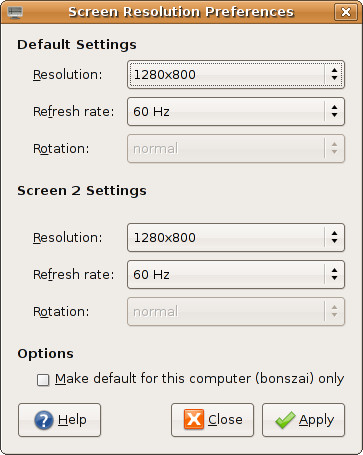
Finally got a dual-head/multi-head configuration working, with only the nvidia driver, unfortunately. But it works!

The magic includes (despite X telling me that there are two cards) using the same PCI BusID, and setting the Screen parameters in the Device section. Bit of struggle, but finally resolved! nvidia do have good docs for their drivers.

Theoretically, bonszai supports 3 displays, with the third a TV-out (via S-video). Will try that later.

Now, me is pro-programmer, with two displays. If the other display becomes an LCD, it'll be ultimate goodness!

Thursday, November 16, 2006

Install Report, Compaq Presario V3133AU, V3000 Series [DRAFT]

(Update Dec 6: This is obsolete document only kept for historical purposes. This is now the definitive version]

(Update Nov 22: I've changed a lot of the info below. For now, bear with me and the strike throughs, as I get a new article written)
Mostly works.

Here are the specs. Note that I'm using Ubuntu Dapper Drake 32-bit for now. I will move to Debian ASAP.

UPD: Moved to Ubuntu Edgy Eft 6.10 64-bit. Waiting for Debian Etch AMD64.

UPD: I've tried getting an external monitor to work, with no success.


What works:
  1. All of the keyboard keys including special "multimedia" keys. Some issues with status updates (blue leds don't turn orange :) )
  2. Monitor comfortably displays "1280x800" using the nv opensource driver. But it wasn't autodetected, and I had to write out frequencies to the xorg.conf file (though they were automatically detected).
  3. HDD, RAM, CPU everything work fine, though I get messages of "BIOS BUG detected" during bootups.
  4. Bluetooth.
  5. UPD: Wireless works with ndiswrapper and 64-bit Broadcom drivers. bcm43xx does not work.

What doesn't (yet) work:
  1. Headphones (ouch!), even with the latest and greatest ALSA, though they're working on it. Headphones now work, with stock alsa-1.0.13, but snd-hda-intel requires the disable_msi=1 parameter eliminate an irritating looping and to have headphone support. As a side effect, I don't seem to need noapic anymore. Sound is terrific on these speakers though.
  2. Broadcom Wireless LAN has "issues", ad-hoc networking wasn't possible, I'm waiting for my wireless account to test out "managed" networking. I'm using the bcm43xx driver for which my card is "unstable". ndiswrapper refuses to take a 32-bit driver, and picks the 64-bit one and then complains. Don't ask why.
  3. Wired ethernet worked perfectly, and then decided it wouldn't work without noapic. This seems to have thrown out the CPU frequency daemon out of gear.
  4. Suspend and hibernate have issues.

What wasn't tested:

The Card reader (update: I did try this with one card, but nothing happened), the expansion slot, the modem, external monitor and S-Video.

And yes, Compaq expects you to have Windows and IE to test for updates. Ouch!

It's not smooth sailing yet, but there are a lot less issues than I'd been brought up to believe.

Ask for more details, if you need any.

Monday, November 13, 2006

My Computers

The first one was named "MeanMachine". Don't ask why. This was my first ever computer, and was bought on September 24, 1999. Here are it's specs:
  • Celeron 266Mhz Processor, no L2 cache, Slot 1
  • 64MB RAM
  • 4GB Seagate HDD
  • 14" Samsung 4BNi monitor
  • 104-keys Mercury Keyboard
  • "Yamada" Speakers
  • Creative 32X IR CD-ROM Drive
  • Zida/Tomato Motherboard
  • Windows 95
It lasted for about 2 years, when a power surge destroyed the motherboard and power supply. The replacement "MeanMachine", gifted by a friend, looked like this:
  • PIII 550Mhz
  • 160 MB SDRAM
  • 4GB HDD
  • Windows 2000 and Red Hat Linux 9
  • D-Link 56Kbps Modem
However, with the coming of XP, and with MS deciding to kill off VB, I made the move to Linux also buying a 40GB HDD on the way. Thus "MeanMachine" became "meanlix", and now looks like:
  • PIII 550Mhz
  • 160MB SDRAM
  • 40GB Seagate 5400 RPM
  • 17" Samsung 793S
  • 104-keys Mercury Keyboard
  • "Yamada" Speakers
  • Sony DVD-ROM
  • Logitech Optical Mouse
  • Ubuntu Dapper Drake
  • USB 1.0
  • D-Link 502-T Router
  • D-Link RTL8139 chipset based NIC.
Along the way, I've replaced the power supply, a couple of mice, the hard disk, the CD-ROM drive, the monitor. I've added the network card and the router, so only the keyboard and speakers have survived from MeanMachine.

Meanlix chugs along fine, though it's no longer adequate for most tasks that family uses it for, though Dapper Drake is (looking) faster than Hoary Hedgehog on this machine. It's time for an upgrade, and perhaps, come December, and with some money, I'll upgrade this machine to a newer one. Any suggestions on what to go for? I'm looking for processor (probably a Core 2 Duo/AMD 64 X2), RAM (1GB/2GB), Motherboard, and perhaps a 80G HDD. Maybe the speakers too. And the keyboard. And yes, the cabinet :) I won't be using this machine much, it'll be a family machine. And yes, it'll run Linux.

Friday, November 10, 2006

Update on the Laptop search

Couldn't buy a laptop while I was in Mumbai, but did get very good leads on some very nice laptops.

BTW, here's what disqualifies a laptop: a Core Duo processor (not 64-bit), 1024x768 maximum resolution, 512 MB RAM or less, less than 60GB HDD. I'll definitely consider Core 2 Duo processors for notebooks, but I can't seem to find any. Any leads?

My sweet spot looks to be around 40K--70K.

So here's what I like:

Compaq V6102AU: This is the coolest model so far, with everything going for it. The only thing that bugs me is the TL-50 (I'd like a TL-52 or better processor -- double the cache). Another possible thing to dislike is the shared video memory, I'm really ignorant of performance problems here. I'll also have to pay the MS Tax, unless I can convince HP to ship it with FreeDOS. But this is one cool laptop. (58K with 3year warranty -- 2 of those years without battery warranty. A new battery costs around 4K)

HP nx6235 Series: This is what been recommended to me by most friends, but the thing that bugs me the most about this is the 1024x768 max. screen resolution. Add the fact that it ships with Windows XP Professional which has definitely pushed the price to greater than 50K, and I'm very very reluctant to buy this.

Compaq V3029AU: This is another cool model, which I didn't list last time as I thought it did not have wireless ethernet. Turns out it has, and so far, it is the cheapest of the lot. It also ships directly with FreeDOS so that's one less headache to worry about. Only difference with the V6102AU as I can see is the 512MB ram, 14.1" display and the 80GB hard disk. It's also half-a-kilo lighter.

Compaq V3133AU: Perfect match at last? AMD TL-52 with everything I'm asking for, including FreeDOS only! This is a new notebook, according to HP who've finally replied when I e-mailed during them office hours (!). Retails for 43K, but I'll have to add RAM (512 default), and suffer a 20GB HDD loss. It's also a 14.1" screen. I'm awaiting more details, as I can't seem to locate this on their website.

On another note, the August 2006 issue of PC Quest had a notebook shootout, can anyone send me the magazine, scans, or anything of interest?

Update: Added the Compaq V3029AU, anybody know of any Core 2 Duo model laptops?
Update: Corrected 3102 to 3029. Sorry.
(yep, this page is gonna see lot of updates)
Update: V3133AU, found what I'm looking for?

Tuesday, November 07, 2006

Installed SuSE 10.1

I need a GLIBC_2.4 distribution, and SuSE's the only one tolerated here. Had a Debian Sarge DVD but no DVD drives :(

And was reminded why I moved away from RPM-based distributions.

TASK: Install Mplayer.

Solution: Look for MPlayer RPMs for SuSE 10.1 on the i686 architecture. Use services like rpmfind.net and
and realise that RPMs for your distribution have not yet been indexed there. Ho-okay, Google's always there. Find references to a website. Go crawling around the net trying to verify credentials of that site.

Then download RPM! And install!

Installation failed. Missing dependencies. Make "intelligent" guesses as to what RPMs will contain the files that MPlayer depends on. Download each dependency RPM individually, and hope you're right about them providing the file you're looking for.

Try installation. See it fail again due to dependencies by the new RPMs you downloaded. Go back to site and download again.

Install again. Whoops! Forgot to download one RPM. Go back, download and try again.

Failed again. Turns out one of the dependencies provides library.so.54, but the MPlayer RPM requires library.so.48.

Sigh.

Okay. Now I'm mad. Force install of MPlayer. Run it, and it fails, of course.

Go to /usr/lib, and copy library.so.54 to library.so.48. Feel totally unclean.

MPlayer works! Though I doubt H.264 encoded files will play.

It would have been so much more easier to compile from source.

I'm so glad Debian releases next month.

Tuesday, October 24, 2006

Note to Self

Investigate iPod Suite and Satellite devices.

MeToo: How To Get an iPod Nano (2nd Gen) working with Ubuntu Dapper

Here's a quick round-up of things I did to get the iPod Nano 2nd Generation working with Ubuntu Dapper. Note that all other iPods work out of the box with Ubuntu Dapper, but this one seems to have firmware changes that cause major problems with auto-detection and auto-mounting. Coupled with the fact that this is barely a month old (it was released on 12 September), it means some software doesn't even know it exists! To the best of my knowledge, HAL detects the iPod correctly, but the GNOME Volume Manager refuses to take any action. Debug messages show "No sensible filesystem found". Given that dd and file both show a valid boot sector and filesystem, and mount has no problems mounting the partitions (there are two -- for the firmware and for the data), I wonder what exactly is the problem. Since I had little time to investigate this is detail, here's what I did to get it mounted and unmounted:
  1. Mounting: Use the pmount command. In case you're not aware, pmount is what allows non-privileged users to mount and unmount hardware given that certain conditions are met (must not be in /etc/fstab, must be removable, etc.). An invocation of this command looks like:

    pmount /dev/sda2 ipod

    This will mount the iPod at /media/ipod.

  2. Unmounting: The pumount command unmounts the iPod, and is similar to "Eject" in iTunes. However, it does not send a message to the iPod that it's been disconnected, and as a result the iPod continues to show a "Do not Disconnect" message even when it is safe to remove it. The correct command therefore is the eject command, which (surprise) ejects SCSI-like devices too. The command is:

    eject -s ipod

    Note that the -s is not necessary, but is given for completeness. The pumount command, for reference only, is pumount ipod.
Once the iPod is mounted, there are a number of software available for GNU/Linux that allow you to fully use the iPod's various non-song features. For example, you can store contacts (just save/sync vCards to a folder on the iPod), store notes, photographs (see below), and a lot more. Here I'll just talk about songs and photographs.
  1. GtkPod: GtkPod is the de facto application for managing songs with the iPod. In its latest incarnation (0.99.8, which I had to compile) it supports the new iPod Nano completely. As a bonus, it also supports the various iTunes-supporting mobile phones like those from the Motorola stable.

    In recent incarnations, GtkPod has split into two parts -- the UI application, and the library called libgpod. Most of the software that support the iPod tend to use libgpod internally. As of v0.4, libgpod supports all the song-related features of the iPod, but does not support Photos. The good news is that it does support cover art, which it did not in the previous versions.

    GtkPod should've ended my search, but its UI is a bit clunky, it supports only the file formats supported natively by the iPod (MP3, AAC, WAV), does not automatically search for cover art, does not show song lyrics, does not connect to Wikipedia to show information about the artist, etc. As you can see, these features are really extras, and GtkPod does the job very well. My brother uses it with his Motorola phone without any complaints.
  2. Amarok: This is my first serious introduction to Amarok, the player I'd heard is the do-all, end-all music player. I must say, I concur. Amarok is KDE's default player, and puts all competition to shame. It's also built for the power user, so that means no more running mounting and unmounting commands individually: there's a preference that automatically allows you to run commands before and after using the iPod. And then you simply click buttons! It also talks to HAL (I think) and automatically mounts the iPod if you've connected it.

    It scanned the music library, allowed me to edit and change tags to my heart's content, downloaded cover art automatically (including those for some Hindi films!), lyrics (including for Hindi songs!), Wikipedia connectivity and what not, exported it to my folder (with plugins), and transcoded files when and as necessary (with plugins). This was my application of choice to use with the iPod. It's complete.

    Unfortunately, Amarok had one serious lacking --- it failed to sync cover art. This is understandable because it probably uses an older version of libgpod, but this spurred me to look at other players (or "music management" applications) as well. I did try to dynamically use libgpod 0.4, but that broke a lot of other things in Amarok, so I let it be. I would've recompiled, but I didn't. For now. It's also a lot heavier on the memory, but that's a trait it shares with all the other players with similar abilities that I looked at.

    I used Amarok 1.4.3, the latest version, which isn't in the Ubuntu Dapper default distribution. However, Ubuntu Backports has a nice backported version. You'll also need the CopyCover (to export cover art) and transKode plugins, along with support for M4A (faac) installed.
  3. Banshee: To be honest, I looked at Banshee before I turned to Amarok. Banshee is a GNOME-native application written using Mono. In earlier times, the Mono bit would've turned me off, but I don't care anymore. Unfortunately, while Banshee looks like an exceedingly capable application, I wasn't able to use it with the iPod. Firstly, Ubuntu ships with a older version of Banshee. There are no backports available. Secondly, to get a newer version requires a dist-upgrade with an archive maintained by the Banshee developers. Needless to say, there were complications, which left Banshee 0.11.1 un-installable, un-compilable, and my patience with it ran out. I had limited time, and perhaps I'll come back to this player in some time, but for now, Banshee wasn't what I would use.

    Interestingly, Banshee does not use libgpod. It uses its own internal libraries, which is why I tried rather hard to get it working. Maybe some other time.
  4. Listen: When traversing various lists and forums looking for solutions to my problems, I stumbled upon a reference to the Listen player. It, too, is a native GNOME application and is written in Python. It uses python-gpod (i.e., libgpod) internally. Though its stable (which I used throughout) version advertises that it works with libgpod >= 0.3.2, I was a bit skeptical after Amarok's experiences with the new libgpod. But I decided I'd give it a try.

    Listen ships with Ubuntu Edgy, so I had to use the developer's backports for Ubuntu. They installed perfectly, but I quickly ran into a major problem. Even with the iPod mounted manually, Listen would not show it in its UI. Like most GNOME applications these days, there is absolutely no manual override.

    It turned out that Listen directly talks to HAL and the GNOME Volume Manager. In ideal circumstances, this is very good, since everything would Just Work. But of course, Murphy's law demands that HAL/G-V-M be broken. Sigh.

    Thankfully, the Listen code is well-written, and in Python, so I was able to code a manual override for detection (and since stable Listen is pre-iPod Nano 2nd Gen, that detection had to be coded too). Now came the acid test: would it work with libgpod 0.4? Of course not. There have been some changes to the libgpod API, and that caused it to fail. A simple change to the relevant line of code and it worked!

    Listen is a player that is still evolving, and while it's leagues away from Amarok's functionality, it did everything I wanted it to. It managed my music library, supported minimal tag editing, could download lyrics, had Wikipedia functionality and automatic cover art support, and also transcoded songs when necessary. And best of all, its sync cover art function works beautifully thanks to libgpod 0.4!

    Listen is not perfect, however, in that it often freezes up when doing lengthy operations, which multi-threaded multi-tasking Amarok has no problems with. Also, while Listen's transcoding works out of the box (it uses GStreamer and outputs MP3 instead of M4A), it's slow. Very very slow. I don't have a clue of why this is so, but an hour for transcoding a 8-minute Ogg/Vorbis song is too much. Moreover, it gives you no features like transKode's profiles that let you control quality (and therefore encoding speed). It does the right thing by attempting to maintain the same quality as the Ogg/Vorbis file, but perhaps this is simplicity taken to its extremes. Whatever.

    With Listen wrapped up in a script that automatically mounts and unmounts the iPod, said iPod's user is surprisingly happy with Listen's simple interface and uses it exclusively. Maybe the GNOME guys are onto something?
I did not look at YamiPod, Rhythmbox, Exaile, GNUpod or any of the other players out there due to lack of time. Do let me know if I missed something. Rhythmbox 0.9.6, in particular, seems to be very featureful.

Photographs on the iPod are of two types, the thumbnails for viewing on the iPod itself, and full-size photographs for transfer to other computers (via a copy from the Photos folder). GPixPod had no problems with storing thumbnails with very good support for albums and such, though I couldn't check out the full-size features (I wasn't aware of it, until I read the iPod manual). I compiled it from source.

How does all this compare with Apple's iTunes? Well, I also installed Apple's iTunes (on Windows, of course), and found a few things that you'll probably still need it for.
  • You still need Apple's iTunes to update your iPod's firmware (I'm sure the iPodLinux and Rockbox guys can do this too, but no application I looked at did this, understandably).
  • Importing photographs using iTunes is rather non-intuitive. You need to have everything organized on your hard disk, and then drop that folder onto a minimal "Sync Photograph Folders" UI. Or you need to have iPhoto installed. GPixPod has no such hang-ups, and works as you'd expect it to. GPixPod had a problem reading a photograph created from within iTunes, but I didn't worry too much about it, since the iPod itself has no problems with GPixPod.
  • Cover Art finds little mention in the manual, but my understanding is that you'd require access to the iTunes store to add cover art. Of course, there are freeware applications for doing this, but the fact that most Linux applications can do this directly is fantastic!
  • iTunes Song statistics and Smart playlists are probably best supported only with iTunes, but Amarok does support song statistics, and though it has Smart Playlists of its own, I don't know if they work for the iPod (though libgpod does support them).
There a lot of other iPod features that I've missed like Lyrics support and such, but I'll re-visit this article a few months down the line. Libgpod's new features seem very exciting. While Rockbox doesn't yet work with the new iPod Nanos, hopefully they'll be ready too by that time.

There are a lot of itches above, many of which I can competently scratch. Sadly I don't have access to the iPod Nano here so I'll just have to wait.

Thursday, October 12, 2006

Of Little Things that Matter Much

Often you encounter good programs that would be good as they are, but are much better due to very small features. You wouldn't notice these features unless you looked very hard, but their presence boosts the utility of the original progam greatly.

Take Emacs, my favorite text editor, for example. It has tons of these small refinements. Suppose you decide to replace "xyz" with "xen ya zen". During the search/replace if it encounters "XYZ", it will replace it with "XEN YA ZEN", and if "Xyz" then "Xen ya zen". Pretty nifty.

And then there is an "Artist Mode" in Emacs that allows users to draw ASCII art. When lines intersect each other, the code takes care to replace the intersection points with either X or +, as the case may be.

Gmail has this feature that tells you that the mail was sent, for example, "11 hours ago", that is more valuable and useful information than the DD-MM-YYYY HH:MM +OFFSET format followed elsewhere.

In Inkscape, an open source vector drawing program, that I occasionally use, copying and pasting a object has a feature I wonder why no other such program has (or if they have, why haven't I discovered it yet?). After you copy and paste, most programs will paste the object either:
  1. On top of the object you copied or,
  2. In some random location.
Inkscape will paste the object where your mouse cursor actually is. This is such a handy feature in drawing programs! Pressing Ctrl+V with the keyboard, while moving the mouse cursor around.

These features are not likely to be highlighted in advertising material for the program. Then why do programmers spend so much time coding these features? Agreed, some of these features are trivial to implement, but that's not always true for others (Emacs).

We had a lesson/text in school that probably explains this best. During the construction of a big and grand temple, a visitor finds one of the sculptors hard at work in one of the darkest corners, where no sunlight will ever illuminate the sculptor's work. "Why?" asks the visitor of the sculptor, "are you pouring so much work into something no one will ever see?"

"He will see," answers the sculptor, pointing to where the diety will be installed.

We computer programmers do not believe God uses our programs, but it shows how passionate both these types of artists are. They do not want beauty that is only skin deep, but one that survives even the most piercing glance. May their tribe live on!

Sunday, October 08, 2006

The NetFlix Prize

It's a very good time to be a machine learning researcher.